
💡 Tip: You may need to reset case numbering if a case was created and then deleted, and the deleted case is still “counted” in the sequence.
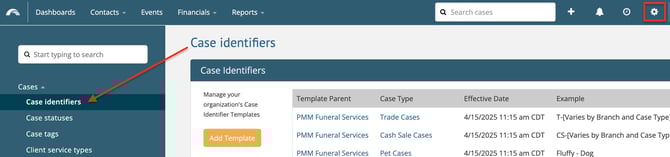
Open Settings. Select Case identifiers under Cases.
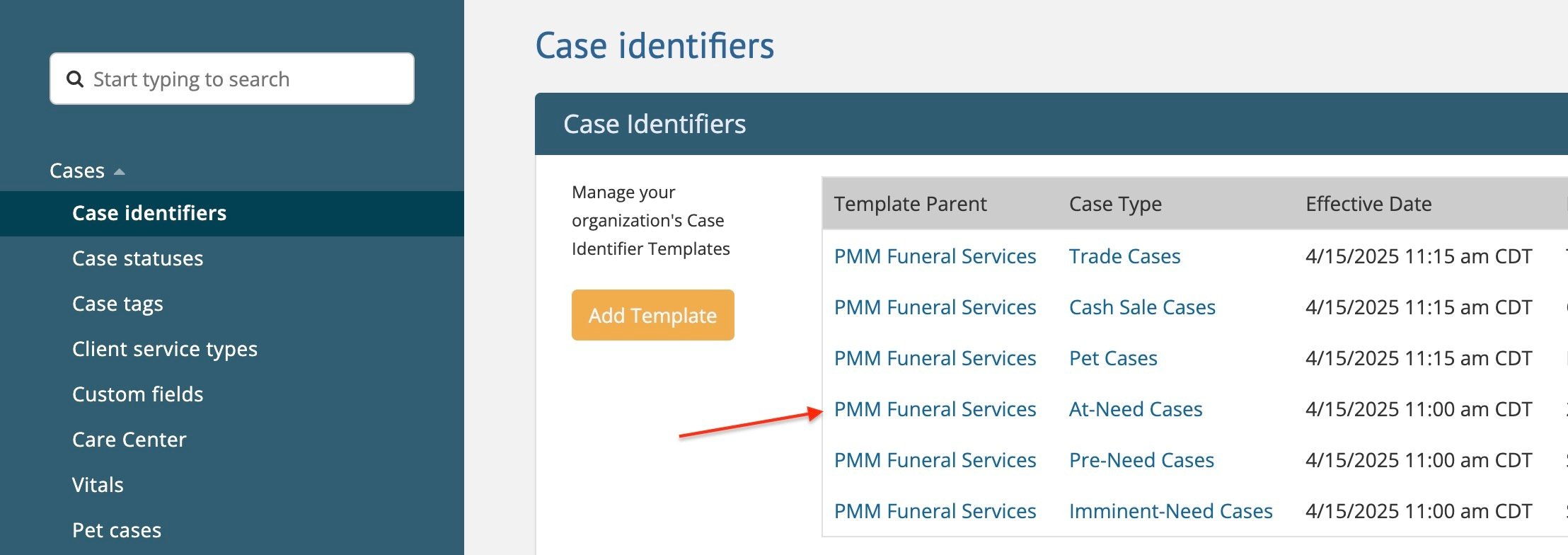
Then select the Template Parent that needs to be reset.
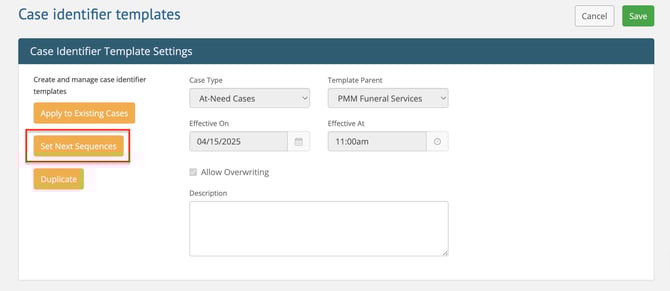
When the Case identifier template opens, click Set Next Sequences to change the case number.
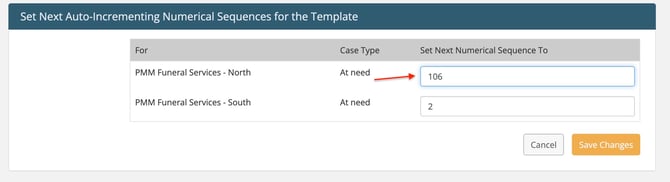
Enter the number you want the next new case to use in the Set Next Numerical Sequence To field and Save Changes.
Example
-
Your last case number is FD-2024-0105.
-
You want the next new case to be FD-2024-0106.
-
Set Next Numerical Sequence to 106.
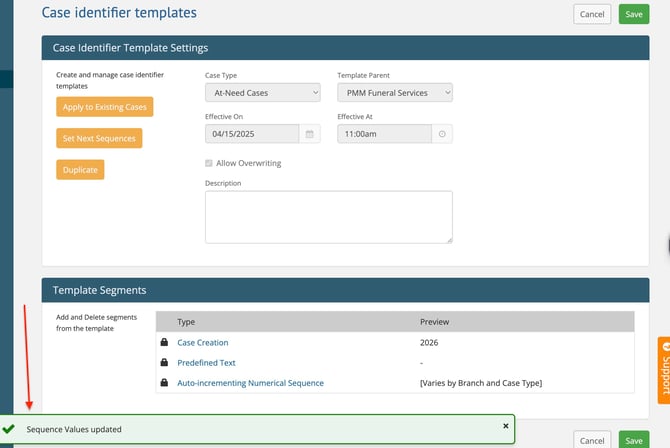
It will take you back to the Case Identifier Template Settings page, which confirms that the Sequence Values were updated with a green message at the bottom of the screen.
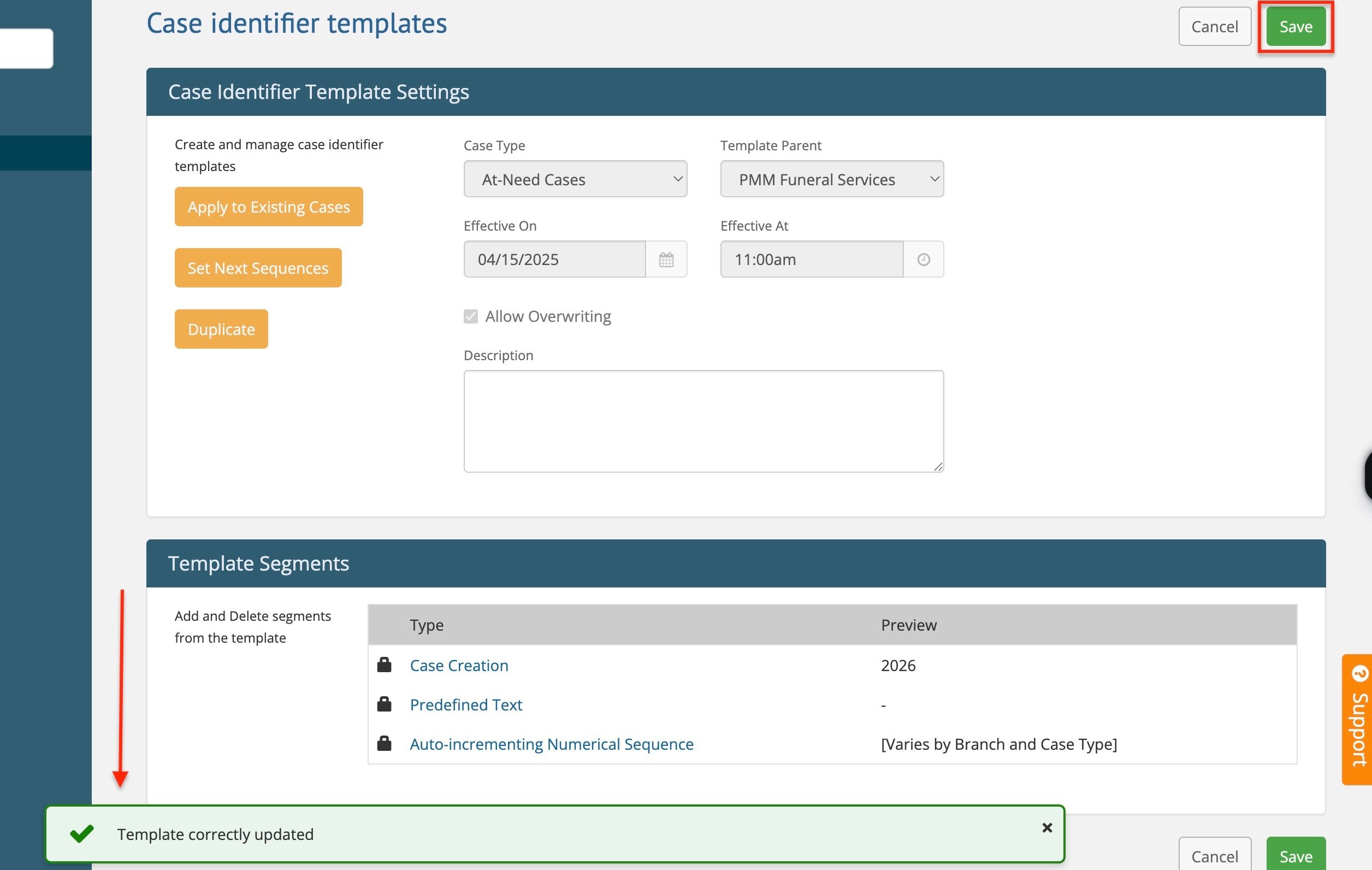
Save again, and the Template Correctly Updated message will appear at the bottom of the screen.
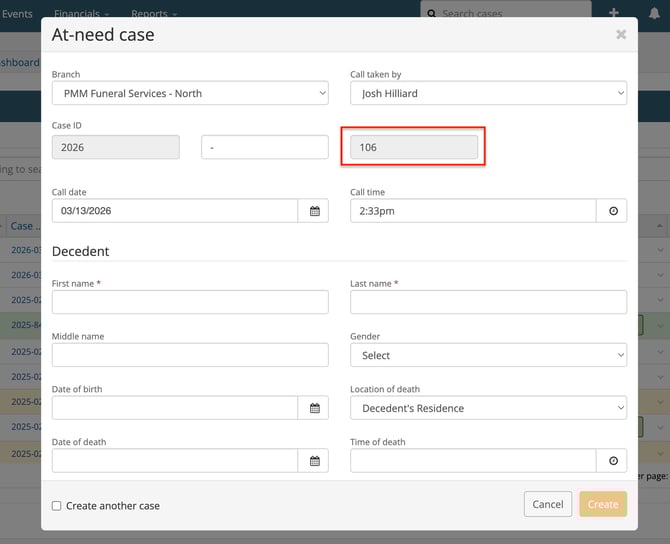
You're all set! Your next case will start with the updated number.
Need help? Email us at support@passare.com or call 1-800-692-5111.