
Add the Passare plugin to ChatGPT
Steps for adding the plugin may change as ChatGPT updates its platform. If you need help, check out OpenAI's official article on Plugins in ChatGPT.
First, sign in to ChatGPT and click Plugins on the left-side menu.
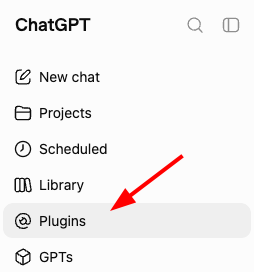
Type "Passare" in the search bar.

Click either the ➕ or Install plugin button.
Check out OpenAI's official article on Plugins in ChatGPT.
Sign in to Passare
Once the plugin is installed, you'll be asked to sign in to Passare.
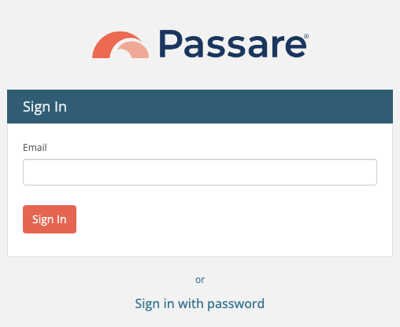
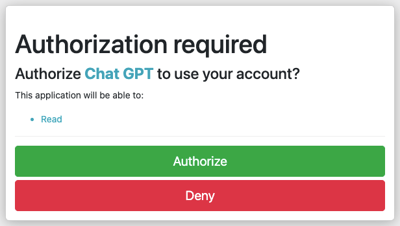
After signing in, click Authorize.
If you don't see the Authorization required screen (below), try going back to ChatGPT and clicking Install again.
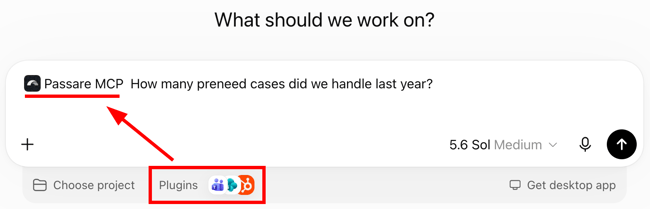
Start asking questions
Add the Passare MCP plugin before sending a prompt to get accurate responses about your business.
Need Help? Email us at support@passare.com or call 1-800-692-5111.