
About Cadence
Cadence is an aftercare platform that helps families navigate the administrative, emotional, and logistical tasks that follow a death. For more information about Cadence, click here.
🤚 To turn on your integration, contact us at support@passare.com or (800) 692-5111.
Syncing Cases to Cadence
Once enabled, at-need cases created in Passare will automatically sync to Cadence.
The following fields are copied to Cadence:
-
Deceased Name
-
Date of Death
-
Branch Location
-
Assigned Funeral Director
-
Family Contact Details (from Family & Friends page)
Information will be automatically sent when the case is created in Passare.
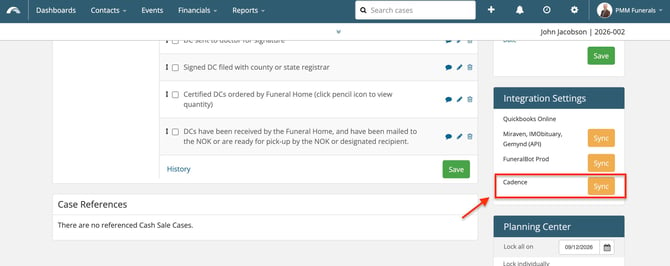
To sync information added after the case is created, you can manually sync to Cadence using the Sync button in the Integrations Settings on the right-hand side of the case.
💡Important: For cases created using the integration, Cadence will not send the invitation to the family. To send the invitation, you must locate the case in Cadence for Business and press "Send Invitation."
Need help? Email support@passare.com or call (800) 692-5111