
✋ To turn on your integration, contact us at support@passare.com or (800) 692-5111.
Information shared between Passare and FuneralBot.ai
-
This is a two-way sync designed to handle the "digital first call" and automated aftercare.
- Information Shared from FuneralBot to Passare:
- First-Call Details: Captured via web chat or voice.
- Decedent Information: Name and vital details.
- Family & Friend Information: Names, contact details, and relationships.
- Service Preferences: Qualified lead details and arrangement preferences.
- Communication Context: Full conversation transcripts and qualified details are synced to a new or existing case so directors have full context.
- Information Shared from Passare to FuneralBot:
- Case Updates: Changes made in Passare sync back to FuneralBot to keep automated messaging accurate.
- Family & Friend Records: Used by FuneralBot to automate aftercare outreach (emails, text messages, and physical mailers/handwritten cards).
- Case Data: FuneralBot uses information from the Passare case and the funeral home's website to answer routine family questions (e.g., service times, directions).
- Information Shared from FuneralBot to Passare:
Use FuneralBot Integration
Automated Case Creation
When a family interacts with FuneralBot (via website chat or phone call) and provides first-call details:
- A new case is automatically created in Passare.
- Captured details (Decedent name, informant info, etc.) are populated in the case.
- A Note is typically generated in the case containing the chat transcript for context.
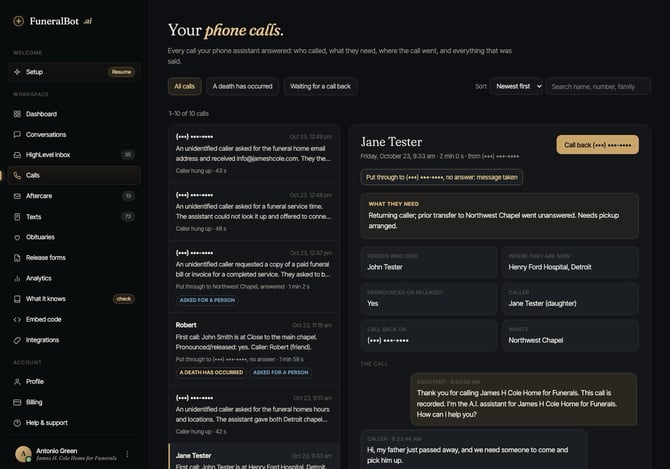
- A Note is typically generated in the case containing the chat transcript for context.
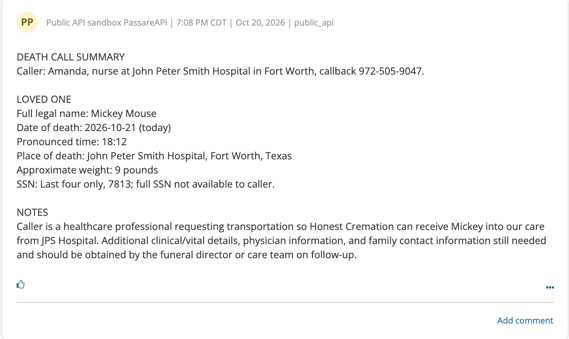
Syncing Case Updates
- Information updated in Passare can stay synced with FuneralBot to ensure the AI has the most current service details to share with families.
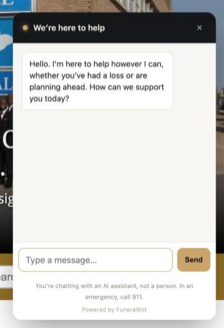
- FuneralBot uses obituary information and case details to answer routine questions on phone calls and chatbot inquiries.
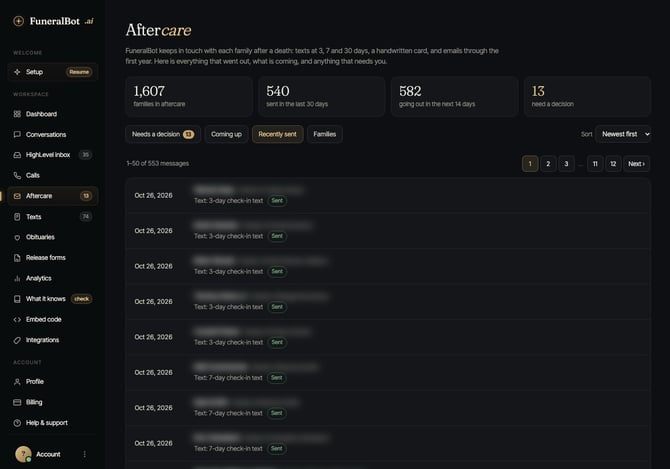
Automated Aftercare
- FuneralBot reads Family and Friend information from the Passare case.
- Based on your FuneralBot configuration, it will automatically send follow-up emails, texts, or physical cards to the family.
Notes / Troubleshooting / FAQs
- Texting Availability: SMS setup and availability may vary by country and provider requirements.
- Customization: Aftercare messaging, "send-from" details, and outreach schedules are customized within the FuneralBot dashboard during your onboarding.
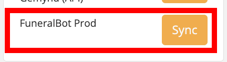
- Sync Failures: If a case fails to sync, hit the FuneralBot SYNC button in the Integrations sidebar menu.
Need more help?
For assistance with your FuneralBot account or AI configuration, visit FuneralBot.ai Support.
For Passare-specific integration issues, contact Passare Support at support@passare.com.
For more information about FuneralBot.ai, visit their website.
Need help? Email us at support@passare.com or call (800) 692-5111!