
✋ To turn on your integration, contact us at support@passare.com or (800) 692-5111.
Information Sent from Passare to Miraven
The following fields are automatically pushed to Miraven when added to Passare.
Case information:
- Case ID
- Case number
- Decedent's full name
- Service type (e.g., "memorial service")
- Service / Event
- Service name
- Service date and time (e.g., "all day on Saturday, May 16th")
- Service location
Funeral home information:
- Organization
- Organization name
- Branch
- Branch name
- Branch description
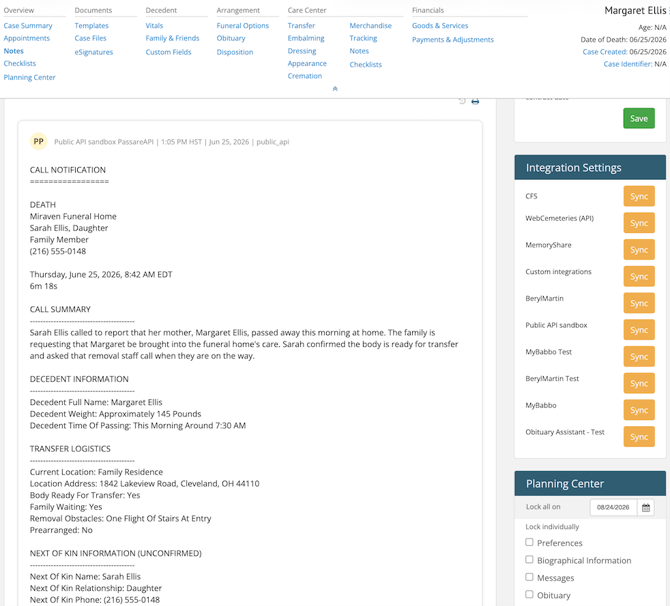
Additionally, when a Miraven agent is linked to a branch, death call information flows in the opposite direction — Miraven creates a case in Passare automatically from the first call details collected during the call.
How the integration works
Miraven provides your funeral home with a dedicated agent phone number.
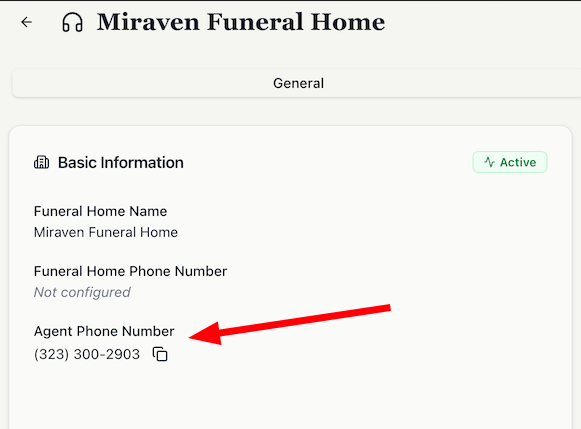
You forward your calls to that number, and the agent answers on behalf of your funeral home.
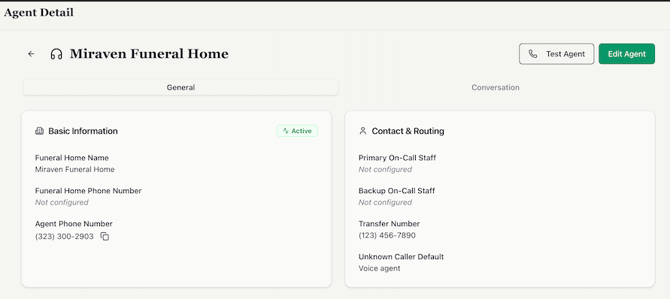
Setting conversation rules in your Miraven [account/settings] can help Miraven's AI agent route and escalate calls correctly based on configurations you've chosen, such as:
- Primary on-call staff
- Backup on-call staff
- Transfer number
- Unknown caller default (these can be set to always route to your agent first and will still be escalated if the caller's questions or their reason for calling end up warranting escalation to your on-call staff member instead.
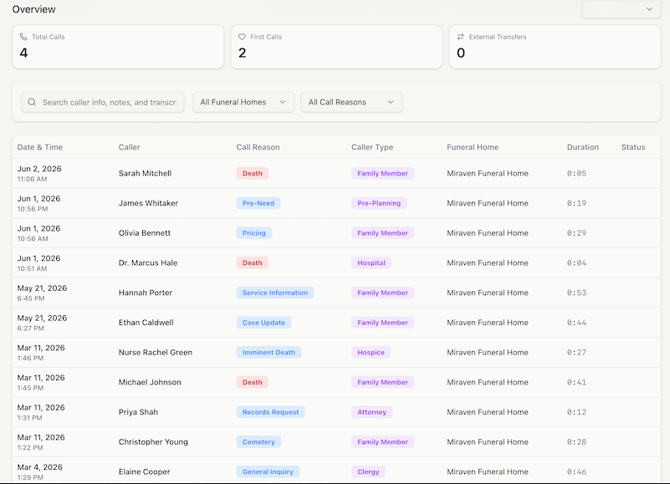
Calls are categorized by type and caller relationship.
Call types:
- General inquiry (sales, case update, etc.)
- Imminent need or preneed
- Cemetery
- Death/First call
- Service information
- Records request
- Unknown
- Other
Call transcripts and call recordings are available through Miraven's web portal and Miraven's mobile app.
For first calls, Miraven collects first-call details and follows an escalation flow (texting and calling your staff until someone acknowledges the call).
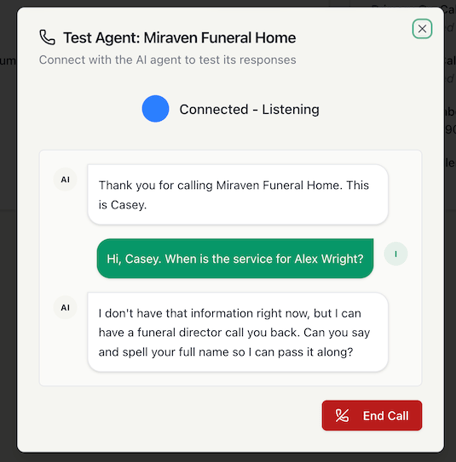
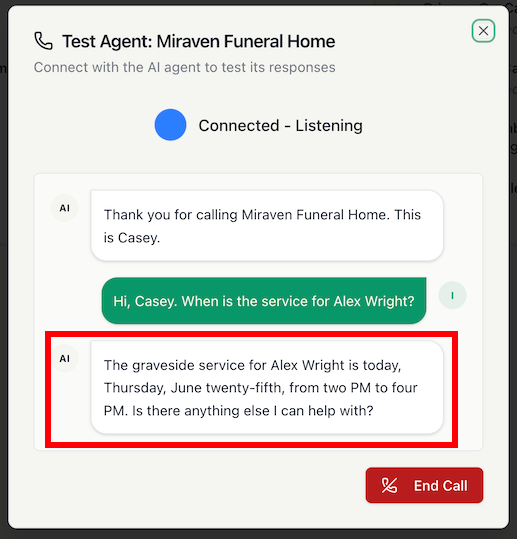
When a caller asks about services for a specific individual, the Miraven agent retrieves the details from Passare and provides them directly — no callback needed.
Automatic Case Creation
If you link a Miraven agent to a branch location, death calls answered by Miraven will automatically create a new case in Passare.
This eliminates the need to manually enter first call information after hours.
Customize your agent's voice:
- Name your agent to match your funeral home’s brand.
- Personalize your agent's voice by using any of the default options provided by Miraven
- You can also create a custom voice modeled after someone from your funeral home, if preferred.
Use these helpful articles from Miraven to get started:
For more information about Miraven, visit their website.
Need help? Email us at support@passare.com or call (800) 692-5111!