
The new case navigation is available in Passare Mobile version 3.11.0
New vs. old case navigation
We’ve updated case navigation in Passare mobile to make case information easier to find by replacing the old scrollable bottom menu with a side slideout menu.
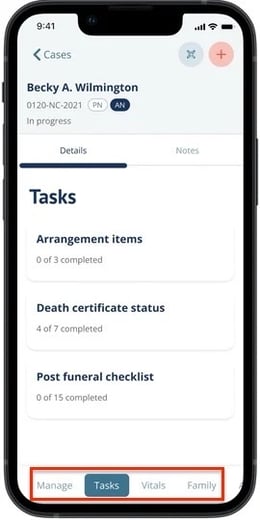
Previous case page menu
Case tabs like Arrange, Financials, Family, Prep, and Track were at the bottom of the screen.
New case page menu
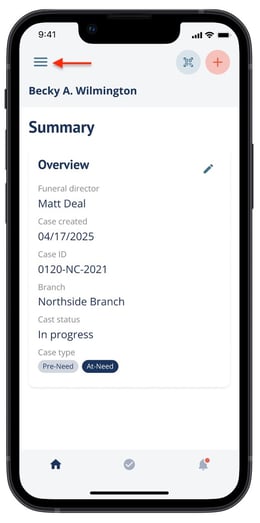
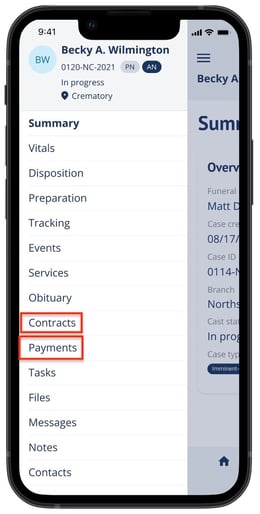
Case pages are now found in a slideout menu. Tap the  three bars, or swipe right to open the case menu.
Here you’ll see the list of available case pages to choose from.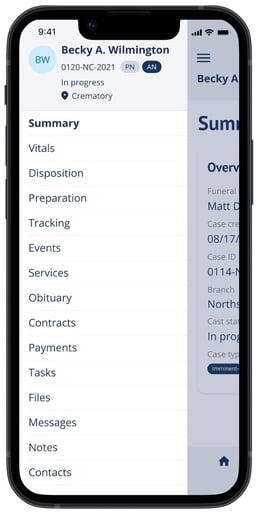
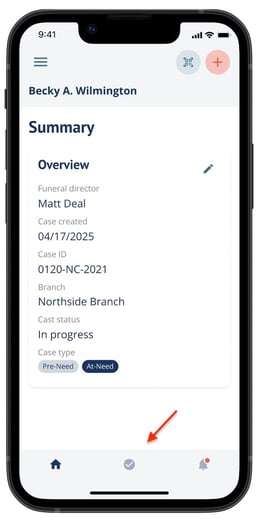
The bottom menu bar is now the same everywhere: Home, Tasks, and Notifications. It may hide as you scroll to give you more screen space, then reappear when needed.
Renamed and reorganized pages
Some pages have new names. Some larger pages were split into smaller pages for easier finding.
Old name |
New name |
What changed |
|---|---|---|
|
Manage |
Summary |
Same content, new name |
|
Prep |
Preparation |
Same content, new name |
|
Track |
Tracking |
Same content, new name |
|
Family |
Contacts |
New name. Add Contact replaces Add Family. |
|
Properties card |
Overview card |
Same content, new name |
|
Arrange |
Disposition, Obituary, Services |
Arrange is now broken down into three separate pages. |
|
Financials |
Contracts, Payments |
Financials are now broken down into two separate pages. |
Biggest changes
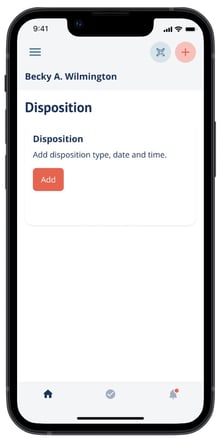
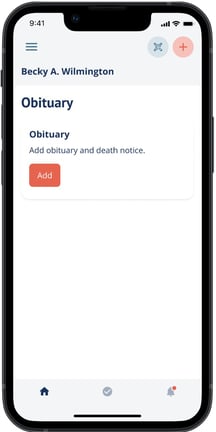
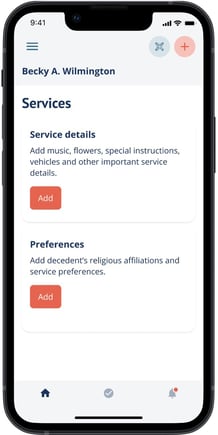
Arrange is now three individual pages: Disposition, Obituary, and Services. The same information is available, but each topic is easier to find in the case menu.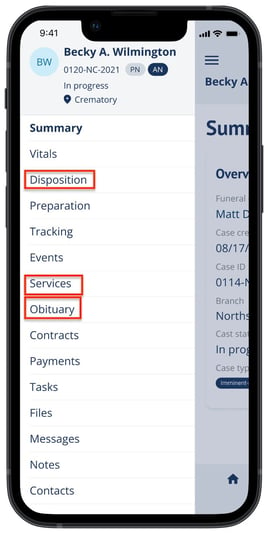
 |
 |
 |
Financials is now Contracts and Payments
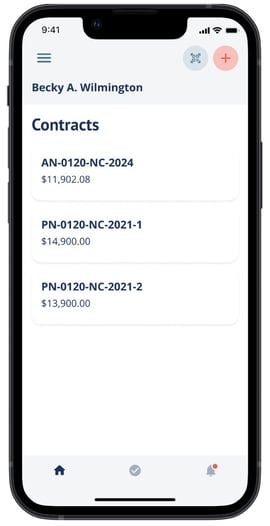
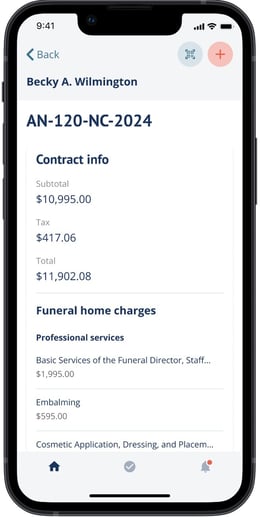
Contracts
Each contract shows as a card with the contract ID and total. Open the card to see full details and line items.
 |
 |
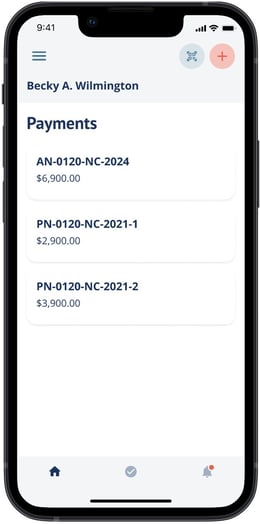
Payments
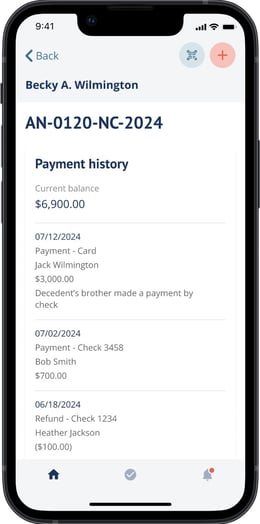
Each contract balance shows as its own card. Open the card to see the full payment history.
 |
 |
Notes
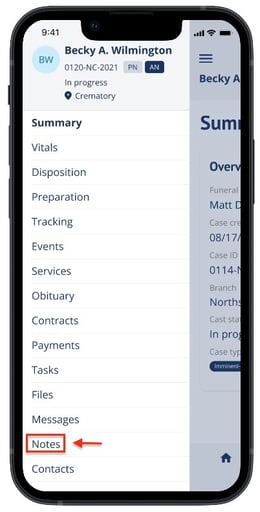
Notes are now found in the case slideout menu
Swipe gestures
The case menu can be opened by swiping right from the left edge of the screen.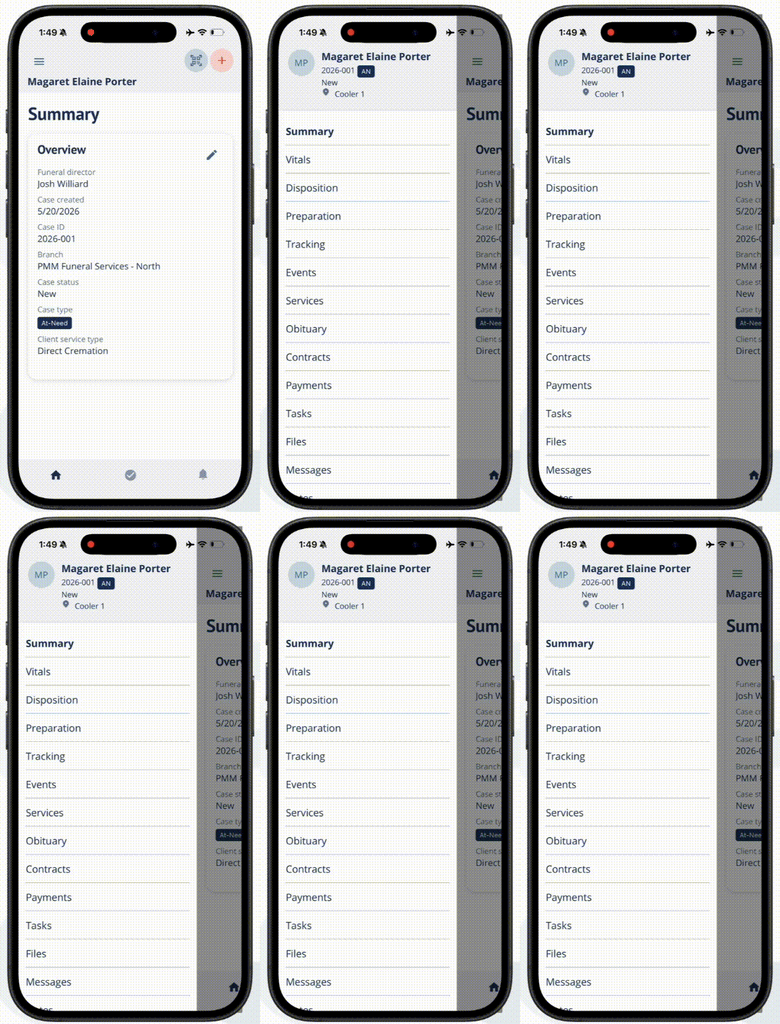
FAQ
- Did anything get removed? No. All information is still available. It is just in the side menu now.
- Where did Notes go? Notes are now found in the case page slideout menu towards the bottom.
- Where did Arrange go? It is now split into Disposition, Obituary, and Services.
- Where did Financials go? It is now split into Contracts and Payments.
- Why does the bottom bar look different? The bottom bar now works the same everywhere. It shows Home, Tasks, and Notifications.
- Why did Family disappear? It was renamed to Contacts and works as before.