
Jump ahead
Add payer and due date
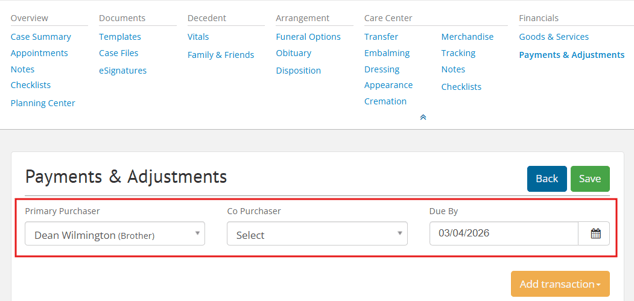
Choose a Primary Purchaser, Co-Purchaser (if applicable), and Due By date.
Purchasers will auto-populate if you've assigned them on Family & Friends, and Due By date appears on the printed contract.
Add payments
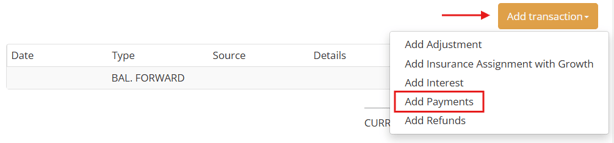
To add a payment, select Add transaction > Add Payments.
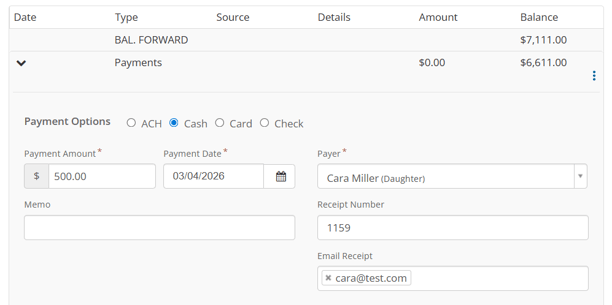
Fill out payment details like payment method, amount, date, and payer.
People who are already in Family and Friends will appear in the Payer dropdown.
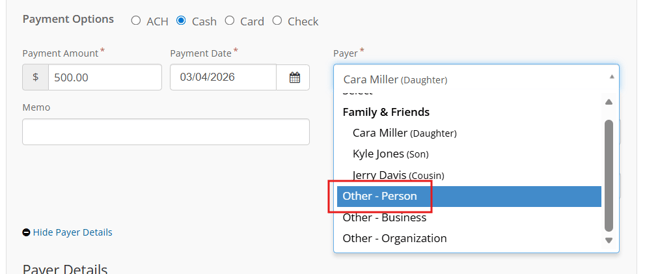
If you need to add a new payer, select Other - Person.
Scroll down to fill out the new payer's name, relationship, and contact information.
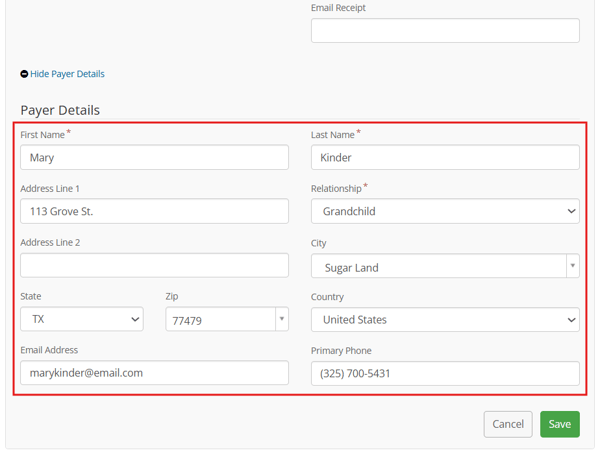
When finished, click Save.
Payment receipts
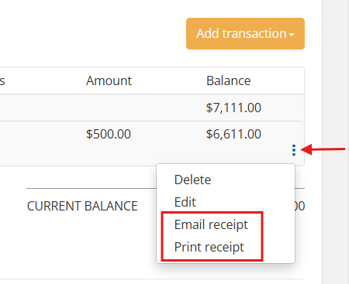
To print or email receipts, click the gear icon and choose the option from the dropdown.
Email receipt will only be available if the payer's email has been entered.
Add adjustments, interest, and refunds
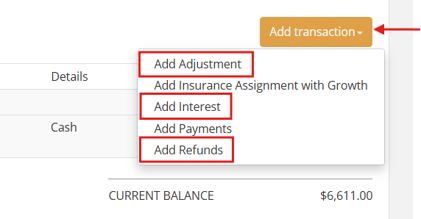
From the Add Transaction button, select if you'd like to add an adjustment, interest, or refund.
Adjustment
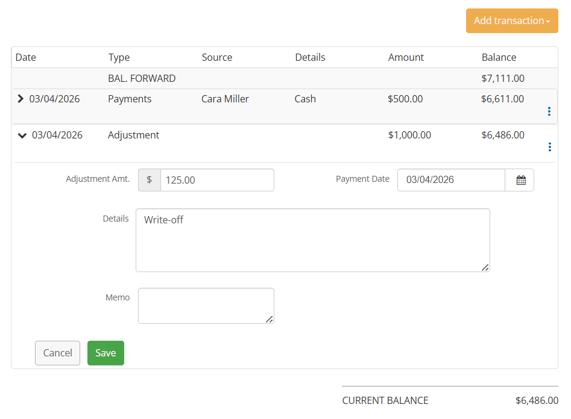
Adjustments decrease the total amount the family owes. You can use adjustments to write off or lower the balance without giving a traditional discount.
Fill out the adjustment information like amount, date, and description. Then, save.
Interest
Interest increases the contract total. This can be added if families are late in making payments.
Add interest to this particular case by entering the amount, date, and memo.
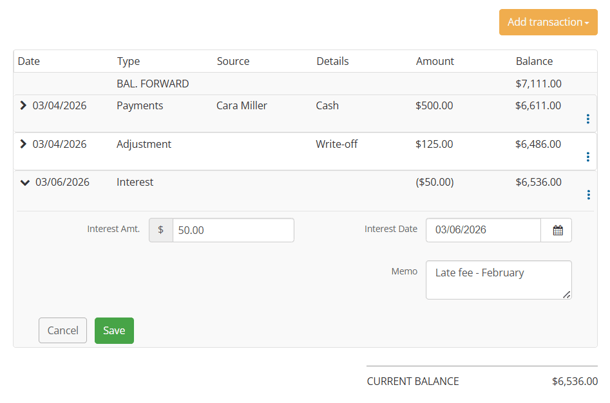
Apply interest in bulk with our Interest feature.
Refunds
Refunds show the amount returned to the family. This can be used to repay insurance proceeds or to refund a portion of the contract, if needed.
Fill in the amount, date, recipient, and save.
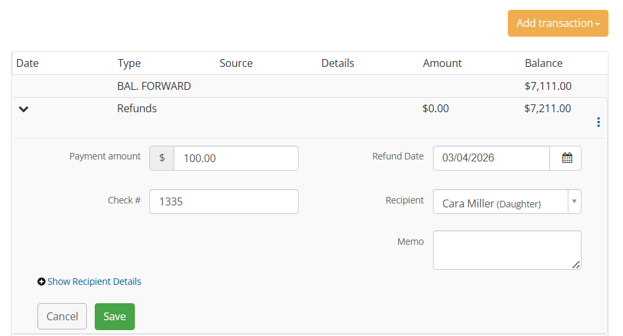
Learn more about creating Passare checks for refunds.
Need more information?
Need help? Email us at support@passare.com or call 1-800-692-5111.